How to add or delete an asset to a wallet
Easily add or delete assets in your wallets via the Exceefy purchase/sale form.
To add an asset to a wallet:
Visit Portfolio page.
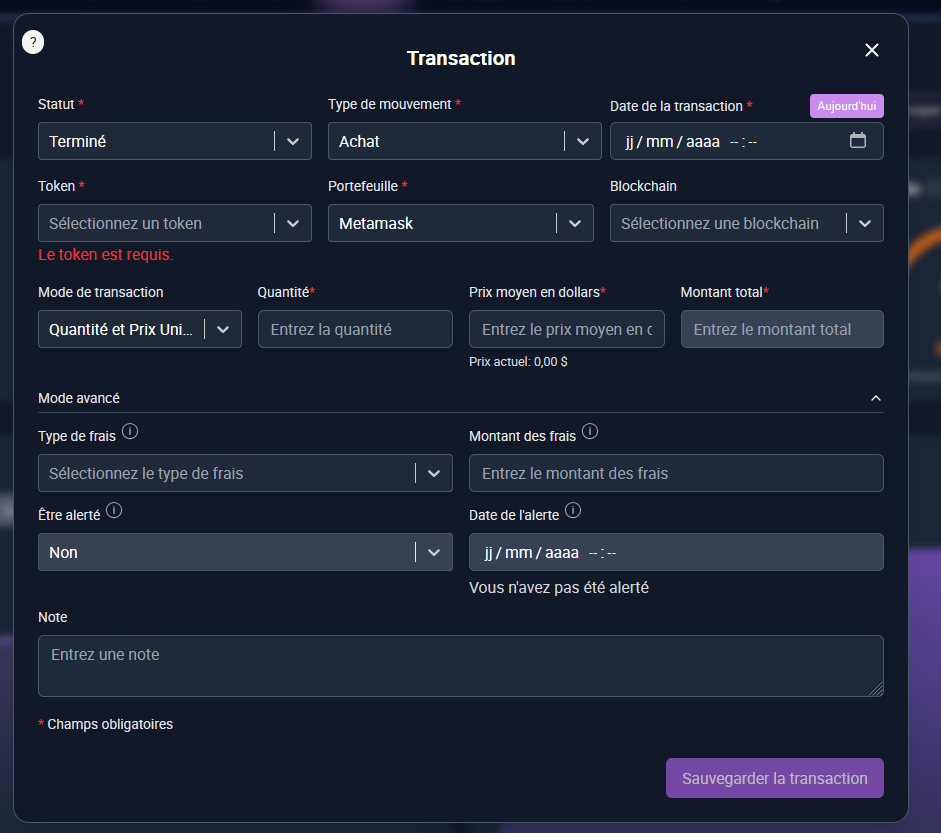
Click Purchase and fill out the form information:
Status: Finished
Date of the transaction: Tip: Click today to put the date of the day
Token: Select the token
Wallet: Choose the associated portfolio
Quantity: Indicate the number of tokens
Average dollar price: Enter the average price
Advanced mode (Optional):
Type of fees: in dollar or token
Amount of costs: Amount applied to the transaction
Be alerted: Yes/No to receive a notification on this transaction
Add a note: to specify additional information

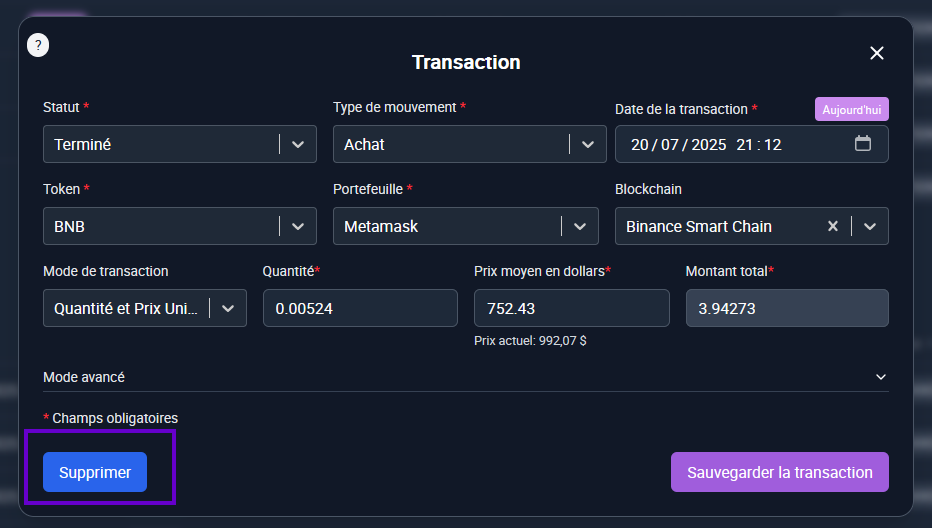
- Click on the transaction line you want to delete, the form opens: you can modify the information or click delete to erase the transaction.

- You can also click directly on the basket icon in the table.


⚠️Important: Any deletion is definitive. Make sure you really want to delete the transaction.